Deployment
Author: Daniel Bier
The OpenEU Frontend is deployed on Netlify, providing continuous deployment from the GitHub repository with automatic previews for pull requests and deployments from the main branch.
🚀 Deployment Targets
- Netlify – Primary deployment platform
- Website: https://openeu.netlify.app
- Custom domain: https://openeu.csee.tech
- Automatic deployments from the
mainbranch - Preview deployments for pull requests
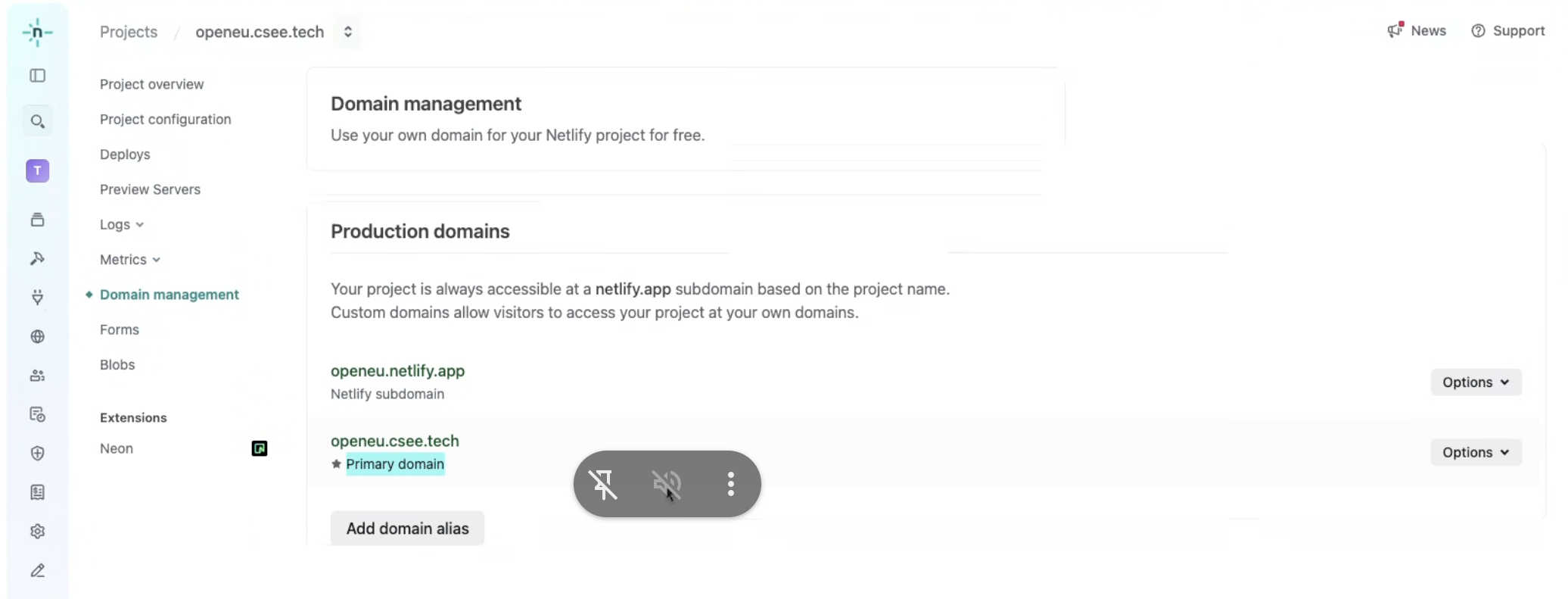 Screenshot of the Netlify production domain configuration for OpenEU
🔑 Environment Variables
The following environment variables are required for the application to function properly:
| Variable | Description |
|---|---|
NEXT_PUBLIC_API_URL | Backend API endpoint URL |
NEXT_PUBLIC_SUPABASE_URL | Supabase project URL |
NEXT_PUBLIC_SUPABASE_ANON_KEY | Supabase anonymous key for client-side access |
Setting up Environment Variables
Local Development
- Create a
.envfile in the root directory of the project - Add the required variables:
NEXT_PUBLIC_SUPABASE_URL="YOUR_SUPABASE_URL"
NEXT_PUBLIC_SUPABASE_ANON_KEY="YOUR_SUPABASE_ANON_KEY"
NEXT_PUBLIC_API_URL="URL_TO_BACKEND_API"
Netlify Deployment
- Navigate to your site settings in the Netlify dashboard
- Go to Site settings → Environment variables
- Add each required variable with its corresponding value
- Redeploy your site for the changes to take effect
🔒 Supabase Integration
Supabase is used for authentication, database, and storage in the OpenEU Frontend.
Setting up Supabase
- Create a Supabase project at supabase.com
- Obtain your project URL and anon key from the API settings
- Set up database tables and functions as provided in the backend repo
Authentication Flow
- The frontend uses Supabase's client library to handle authentication
- User sessions are managed through Supabase's session management
- Protected routes check for valid authentication before rendering
📋 Deployment Process
🔄 Continuous Integration/Continuous Deployment (CI/CD)
The project uses GitHub Actions for CI and Netlify for CD:
- Pull requests trigger lint and type checks via GitHub Actions
- Netlify deploys preview environments for each PR
- When merged to main, the Netlify deployment is triggered
Deployment Configuration
The project includes a next.config.ts file that configures Next.js for deployment, including:
- Image optimization settings
- Redirects and rewrites
- Static file handling
🧪 Environment-Specific Considerations
- Deployment uses Netlify environment variables
- Locally you can adjust the environment variables and API endpoints to point to the local instance of the backend and supabase